Guide5 min read
Best LLM for Document ExtractionA 50-Document Test (2026)
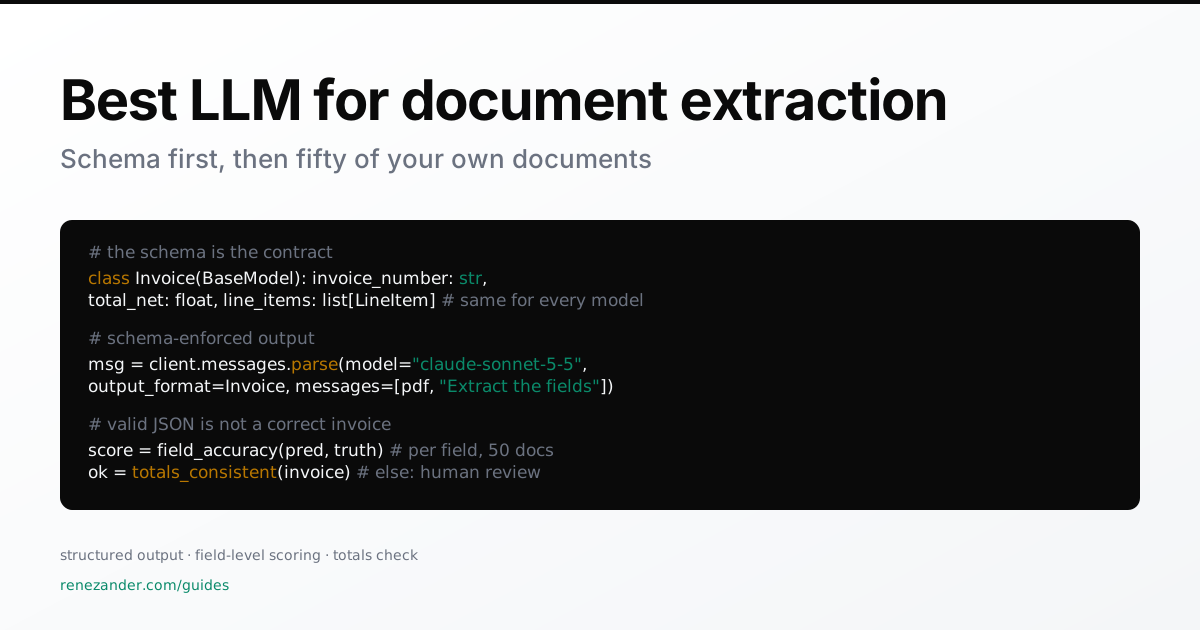
Last tested: October 2026, Anthropic Python SDK structured outputs with claude-sonnet-5-5, OpenAI Responses API, Ollama with qwen2.5vl.
There is no best LLM for document extraction in general. Rankings shift every quarter, and invoices, contracts and delivery notes fail in different places. What lasts is the test: schema-enforced output, scored field by field, on fifty of your own documents.
TL;DR: the best LLM for document extraction
For most teams, a frontier model with schema-enforced structured output and native PDF input, such as Claude Sonnet or GPT-5.5, is the right starting point. Choose between them on field-level accuracy across fifty of your own documents. Use an open-weight vision model on your own hardware only when documents may not leave your network.
| Situation | Start with | Why |
|---|---|---|
| Digital PDFs, mixed layouts | Frontier API with structured output and PDF input | Schema guaranteed, layout read directly |
| Poor scans, dense tables | Layout parser to Markdown, then the LLM | Cleaner tables, fewer tokens |
| Documents may not leave the network | Open-weight vision model via Ollama or vLLM | Data stays on your hardware |
| 100,000+ pages a month, few layouts | Templates or rules, LLM for exceptions | Cost per page |
| Long contracts, clause questions | LLM over chunked text with page citations | Answers you can verify |
Recommended path: schema first, then the model
Define what you want before you pick who extracts it. The schema is the contract, and every model gets the same one.
from pydantic import BaseModel

class LineItem(BaseModel):
    description: str
    quantity: float
    unit_price: float

class Invoice(BaseModel):
    invoice_number: str
    invoice_date: str            # ISO 8601
    supplier_name: str
    supplier_vat_id: str | None
    total_net: float
    total_gross: float
    currency: str
    line_items: list[LineItem]
Claude with structured output and PDF input
import base64
import anthropic

client = anthropic.Anthropic()
pdf = base64.standard_b64encode(open("invoice.pdf", "rb").read()).decode()

msg = client.messages.parse(
    model="claude-sonnet-5-5",
    max_tokens=2048,
    output_format=Invoice,
    messages=[{"role": "user", "content": [
        {"type": "document", "source": {"type": "base64", "media_type": "application/pdf", "data": pdf}},
        {"type": "text", "text": "Extract the invoice fields. Use null when a field is not on the document."},
    ]}],
)
invoice = msg.parsed_output
print(msg.usage.input_tokens, msg.usage.output_tokens)
OpenAI with the Responses API
from openai import OpenAI

client = OpenAI()
resp = client.responses.parse(
    model="gpt-5.5",
    input=[{"role": "user", "content": [
        {"type": "input_file", "filename": "invoice.pdf", "file_data": f"data:application/pdf;base64,{pdf}"},
        {"type": "input_text", "text": "Extract the invoice fields. Use null when a field is not on the document."},
    ]}],
    text_format=Invoice,
)
invoice = resp.output_parsed
Local model with Ollama
Render pages to images, then pass the JSON schema as format:
pdftoppm -r 200 -png invoice.pdf invoice-page
import ollama

resp = ollama.chat(
    model="qwen2.5vl:7b",
    messages=[{"role": "user", "content": "Extract the invoice fields as JSON.",
               "images": ["invoice-page-1.png"]}],
    format=Invoice.model_json_schema(),
    options={"temperature": 0},
)
invoice = Invoice.model_validate_json(resp.message.content)
Valid JSON is not a correct invoice
Schema enforcement guarantees shape, not truth. A response with the wrong total passes every type check. So score each field against ground truth you typed in by hand:
import json
from pathlib import Path

FIELDS = ["invoice_number", "invoice_date", "supplier_vat_id",
          "total_net", "total_gross", "currency"]

def norm(v):
    if isinstance(v, (int, float)):
        return round(float(v), 2)
    return str(v).strip().lower() if v is not None else None

def score(pred_dir: Path, truth_dir: Path) -> dict[str, float]:
    docs = sorted(truth_dir.glob("*.json"))
    hits = dict.fromkeys(FIELDS, 0)
    for t in docs:
        truth = json.loads(t.read_text())
        pred = json.loads((pred_dir / t.name).read_text())
        for f in FIELDS:
            hits[f] += norm(pred.get(f)) == norm(truth.get(f))
    return {f: hits[f] / len(docs) for f in FIELDS}
Then add the check that catches what scoring misses in production, where no ground truth exists:
def totals_consistent(inv: Invoice, tolerance: float = 0.02) -> bool:
    net = sum(li.quantity * li.unit_price for li in inv.line_items)
    return abs(net - inv.total_net) <= tolerance
An invoice whose line items do not add up goes to a person. One that adds up and scores well on a field you trust goes through.
Which fifty documents to test
Fifty documents show you which fields break and why, if they mirror your real intake:
- 5 to 8 suppliers or layouts, weighted by volume
- scans and phone photos, not only clean exports
- multi-page documents with tables that continue across pages
- credit notes, partial deliveries and other edge cases
- every language you receive
Fifty is a diagnostic, not a statistical guarantee. Keep the set fixed and re-run it on every model or prompt change, so the numbers stay comparable.
When a parser beats the model
On poor scans and long tables, a layout parser that turns pages into Markdown before the LLM sees them often wins on accuracy and on tokens. Docling is an open-source option:
pip install docling
docling invoice.pdf --to md --output out/
Feed out/invoice.md to the same structured-output call as text. Test both routes on your scanned subset; on clean digital PDFs the direct route is usually enough.
Cost per document, not per token
Token prices mislead because a PDF page costs different amounts on different models. Read the usage fields from each response across your fifty documents, multiply by the provider’s current price and average:
cost per document = (input tokens × input price + output tokens × output price) / 1,000,000
For backlogs that can wait a day, the Anthropic Message Batches API and the OpenAI Batch API both cost half the standard price.
Data protection for DACH teams
Invoices from sole traders and HR documents contain personal data. Sending them to an API needs a data processing agreement with the provider and a decision on data residency. Where that is not possible, run the local route, or remove personal data before the model sees it, as in this deterministic PII redaction approach. Whether to build extraction at all or buy a product is its own decision, covered in document parsing: build or buy.
Getting an extraction pilot from fifty test documents to a monitored production pipeline is the work behind AI pilot to production.
Changelog
- 2026-10-12: First version: schema-first extraction with Claude structured outputs, the OpenAI Responses API and Ollama, field-level scoring and the totals consistency check.
Frequently asked questions
Which LLM is best for extracting data from PDFs?
A frontier model with schema-enforced structured output and native PDF input, such as Claude Sonnet or GPT-5.5, is the right starting point for most teams. The winner differs by document type, so decide on field-level accuracy across fifty of your own documents.
How accurate is LLM document extraction compared with OCR templates?
Templates are near perfect on the layouts they were built for and fail on new ones. LLMs handle unseen layouts but make occasional silent errors in fields that look valid. Measure accuracy per field and add arithmetic checks such as line items against totals.
Can we run document extraction with a local LLM for GDPR reasons?
Yes. Open-weight vision models such as Qwen2.5-VL run on your own hardware through Ollama or vLLM, and Ollama enforces a JSON schema through its format parameter. Expect lower accuracy than frontier APIs on hard layouts and test with the same fifty documents.
How many documents do we need to evaluate an extraction model?
Fifty is enough to see which fields fail and why, if they cover your real mix: several suppliers, scans, multi-page files, credit notes and foreign languages. It is not a statistical guarantee. Re-run the same set whenever you change the model or the prompt.
What does LLM document extraction cost per document?
It depends on pages and model. Read the input and output token counts from the API response for each of your test documents, multiply by the provider's price, and average. Batch APIs from Anthropic and OpenAI halve the price for backlogs that can wait.
Do we still need OCR if the LLM reads PDFs directly?
For clean digital PDFs, usually not. For poor scans and dense multi-page tables, a layout parser such as Docling that converts pages to Markdown first often improves accuracy and cuts tokens. Test both routes on your scanned documents.
Your agents answer from whatever the retriever finds, and too often that is last quarter's truth. I build the context layer they answer and act from: a temporal knowledge graph that keeps every fact with its source and the time it held, reads with each person's own permissions, and writes nothing without a person's approval. On your own tenant, billed by the hour, step by step.