Guide17 min read
Claude Code with Local LLMs and ANTHROPIC_BASE_URLOllama, LM Studio, llama.cpp, vLLM
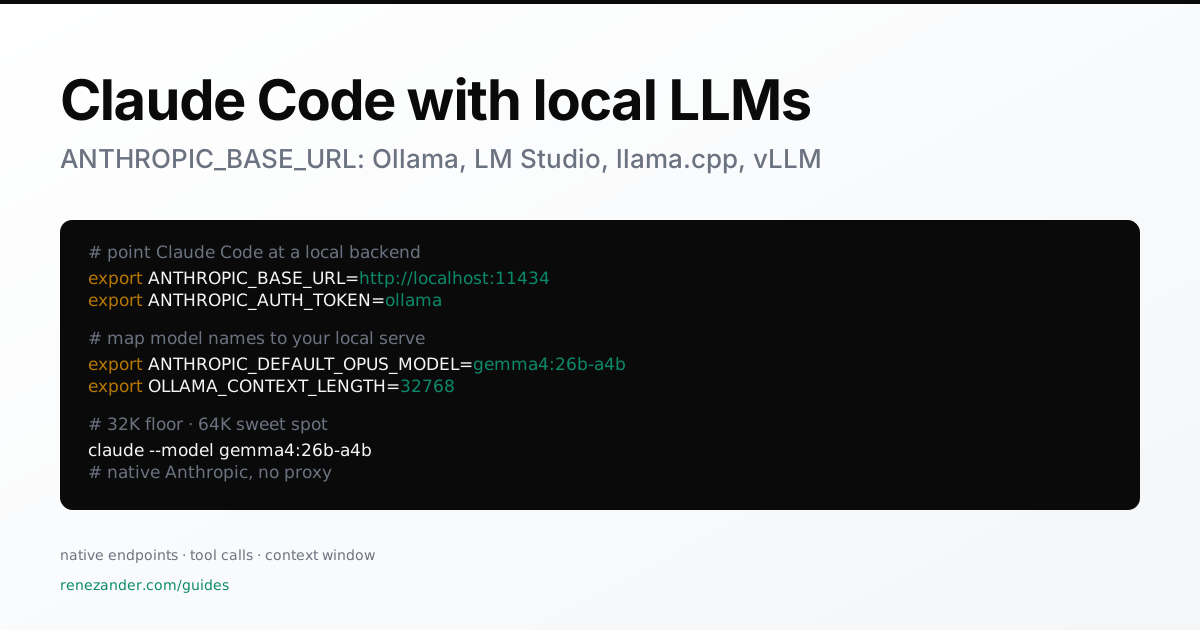
Native Anthropic endpoints, tool-call compatibility, and context-window sizing for local Claude Code.
Last tested: April 2026 · Reviewed: July 2026 (recipe unchanged). See Changelog at the bottom.
TL;DR cheat sheet
| Goal | Use |
|---|---|
| MacBook Air | Gemma 4 26B-A4B Q4, 32K context, LM Studio or Ollama |
| MacBook Pro | Gemma 4 26B-A4B Q4 / UD-Q4, 64K context, llama.cpp or LM Studio |
| Claude Code minimum | 32K context (anything below is a chat demo) |
| Best local backend | LM Studio or Ollama first; llama.cpp for advanced; vLLM for servers |
| Avoid | 8K / 16K context, dense 31B Gemma 4 on 32 GB machines, old llama.cpp builds |
The local-Claude-Code rule of thumb
Three things decide whether a local Claude Code session works:
- Model quality decides whether the answer is smart.
- Tool-call formatting decides whether Claude Code can act on the answer.
- Context length decides whether the session survives past the first few edits.
For local coding agents: 32K is the floor. 64K is the sweet spot. Anything below 32K is a chat demo, not Claude Code.
Recommended setup
Use this first. Don’t shop the buffet of alternatives until you’ve tried this one.
- Backend: LM Studio (≥ 0.4.1) or Ollama (≥ v0.14.0) — both expose a native Anthropic compatible local endpoint, no proxy needed.
- Model:
gemma4:26b-a4b(Gemma 4 26B-A4B-it, Q4 quant). MoE active-param ≈ 3.88 B → laptop-friendly latency, tool-use trained directly into the model. - Context: 32K context on a MacBook Air, 64K context on a MacBook Pro M5 Pro/Max with 48 GB+ RAM.
- Machine: 32 GB+ RAM strongly preferred. 24 GB works at 24K–32K with care.
If you don’t have Anthropic-compatible mode and only have an OpenAI compatible local endpoint running, run LiteLLM in front (see section on LiteLLM).
1. Environment variables Claude Code reads
# Where Claude Code POSTs requests. Default: https://api.anthropic.com
ANTHROPIC_BASE_URL=http://localhost:11434

# Sent as auth. Local servers usually accept any non-empty value.
ANTHROPIC_AUTH_TOKEN=ollama

# Map Claude Code's "claude-opus-X-Y" / "claude-sonnet-X-Y" / "claude-haiku-X-Y"
# to model names your local backend serves.
ANTHROPIC_DEFAULT_OPUS_MODEL=gemma4:26b-a4b
ANTHROPIC_DEFAULT_SONNET_MODEL=gemma4:26b-a4b
ANTHROPIC_DEFAULT_HAIKU_MODEL=gpt-oss:20b

claude
Or override per-invocation:
claude --model gemma4:26b-a4b
If ANTHROPIC_BASE_URL is set but the URL doesn’t respond with the right shape, Claude Code does not fall back to the cloud. It errors out.
2. Context length: the hidden failure mode
Claude Code is not a chat prompt. Before your actual request, the backend sees:
- Claude Code’s system prompt (~6–10K tokens by itself)
- tool definitions for
Read/Edit/Bash/Grep/Glob/TodoWrite - conversation history
- file excerpts and full reads
- diffs
- command output
- retry/error messages from failed tool calls
That means 8K and 16K contexts are misleading tests. They may answer a chat question, but they are not enough for reliable agentic coding. The session survives a handful of turns, then silently degrades — file edits truncate, tool calls drop arguments, the loop gets confused.
Practical context tiers
| Context | Verdict | What happens |
|---|---|---|
| 8K | Broken for Claude Code | System prompt + tools eat the window before your code arrives. Chat-only. |
| 16K | Demo only | Tiny edits, short sessions. Not a real test of any model. |
| 25K | LM Studio’s stated minimum | Good enough for small tasks if tool calls are reliable. |
| 32K | Real minimum (32K context). | Ollama recommends this floor. Use as your default. |
| 64K | Sweet spot (64K context). | Best balance on 32GB+ machines. Handles medium repos and multi-file edits. |
| 128K+ | Diminishing returns | Prefill latency and KV-cache memory rise hard. Worth it only on high-memory servers, and only for repo-wide reads. |
Apple Silicon context presets
| Machine | Recommended context | Notes |
|---|---|---|
| MacBook Air M5, 16 GB | 16K–24K | Use smaller models (≤8B). 26B-A4B is tight. |
| MacBook Air M5, 24 GB | 24K–32K | 32K is the target; keep other apps light. |
| MacBook Air M5, 32 GB | 32K | Best Air setup. Higher rarely beats thermal throttling. |
| MacBook Pro M5 Pro, 24 GB | 32K | Better sustained perf than Air at the same context. |
| MacBook Pro M5 Pro, 48/64 GB | 64K | Sweet spot for serious local coding. |
| MacBook Pro M5 Max, 64/128 GB | 64K default, 128K experimental | Use 128K for repo-wide analysis, not every edit loop. |
Note: backend docs differ — LM Studio says “start at 25K, increase for better results,” Ollama recommends 32K. Use 32K as the cross-backend baseline. Reading “25K” as “25K is enough” is the most common mistake.
3. Claude Code Ollama setup (native, v0.14.0+)
Ollama announced Anthropic Messages API compatibility on 2026-01-16. No proxy, no LiteLLM, no nothing.
# Set context length first — this is the most important knob
export OLLAMA_CONTEXT_LENGTH=32768   # 65536 on a Pro

export ANTHROPIC_AUTH_TOKEN=ollama
export ANTHROPIC_BASE_URL=http://localhost:11434

claude --model gemma4:26b-a4b
Cloud-hosted Ollama models work too:
claude --model glm-4.7:cloud
claude --model minimax-m2.1:cloud
Two known limits of Ollama’s Anthropic-compat layer (April 2026):
- No prompt caching. Anthropic’s
cache_controldoesn’t apply — every Claude Code request re-processes the system prompt and conversation history from scratch. - No
tool_choice. Claude Code occasionally usestool_choiceto force a specific tool call. Ollama’s compat layer ignores it. When it matters, Claude Code may pick the wrong tool and get stuck in a loop.
4. Claude Code LM Studio setup (native, 0.4.1+)
LM Studio added the Anthropic-compatible /v1/messages endpoint on 2026-01-30. Streaming, tool calls, and message-shape are all supported natively.
# Set context to at least 32K in the LM Studio UI (or higher; see section 2)
lms server start --port 1234

export ANTHROPIC_BASE_URL=http://localhost:1234
export ANTHROPIC_AUTH_TOKEN=lmstudio

claude --model openai/gpt-oss-20b
For VS Code with the Claude Code extension (env vars from your shell are NOT inherited by VS Code):
// .vscode/settings.json
"claudeCode.environmentVariables": [
  { "name": "ANTHROPIC_BASE_URL", "value": "http://localhost:1234" },
  { "name": "ANTHROPIC_AUTH_TOKEN", "value": "lmstudio" }
]
LM Studio’s docs say “at least 25K.” Set 32K. See section 2.
5. Claude Code llama.cpp setup (Apple Silicon fast path for Gemma 4 26B-A4B)
If you’re on Apple Silicon and want the absolute lowest overhead with Gemma 4 26B-A4B, llama.cpp’s server is faster per-token than Ollama or LM Studio. You need a recent build (one that supports -hf for HuggingFace pulls and --jinja for chat templates).
./build/bin/llama-server \
  -hf ggml-org/gemma-4-26B-A4B-it-GGUF:Q4_K_M \
  --host 127.0.0.1 \
  --port 8080 \
  -ngl 99 \
  -c 65536 \
  --jinja
export ANTHROPIC_BASE_URL=http://localhost:8080
export ANTHROPIC_AUTH_TOKEN=llama-cpp
claude --model gemma-4-26B-A4B
Flags that matter:
-c 65536sets 64K context (drop to-c 32768on tighter machines).-ngl 99offloads all layers to Metal/GPU.--jinjais required for Gemma 4’s chat template to render correctly. Without it, tool calls won’t format and you’ll see<unused24>/<unused49>tokens leaking into output.-hf ggml-org/gemma-4-26B-A4B-it-GGUF:Q4_K_Mpulls the GGUF straight from HuggingFace.
Caveat: llama.cpp’s Anthropic-compat is partial. Works for chat and basic tool calling. Streaming-shape and some Anthropic-specific request fields are rougher than Ollama or LM Studio. If something breaks weirdly, fall back to Ollama. llama.cpp is the speed play, not the compatibility play.
6. Claude Code vLLM setup (native + tool parser)
vLLM ships an official Claude Code integration. Three things at server start: a tool-calling-capable model, --enable-auto-tool-choice, and the right --tool-call-parser.
vllm serve openai/gpt-oss-120b \
  --served-model-name my-model \
  --enable-auto-tool-choice \
  --tool-call-parser openai \
  --port 8000
export ANTHROPIC_BASE_URL=http://localhost:8000
export ANTHROPIC_API_KEY=dummy
export ANTHROPIC_AUTH_TOKEN=dummy
export ANTHROPIC_DEFAULT_OPUS_MODEL=my-model
export ANTHROPIC_DEFAULT_SONNET_MODEL=my-model
export ANTHROPIC_DEFAULT_HAIKU_MODEL=my-model

claude
The --tool-call-parser value depends on the model family — openai for the gpt-oss family, llama3_json for Llama 3.x, hermes for Hermes. Wrong parser → tool calls return as plain text and Claude Code’s edit/grep/bash tools silently no-op.
7. LiteLLM — for fallbacks, not for translation
With Ollama, LM Studio, llama.cpp, and vLLM all speaking native Anthropic now, LiteLLM’s role changes. It’s no longer “the translator” — it’s the router for fallbacks, request logging, per-tenant keys, and rate limits. Also the right answer if your only local option is an OpenAI compatible local endpoint.
Decide where repository data may go
The example below includes a cloud destination. Use that route only when the repository owner permits its data to reach that provider. For a local-only workload, remove the cloud route and stop when the permitted local route fails; enforce the allowed destinations in the environment as well as the router.
Before using real code, record the primary endpoint, permitted fallback destinations, and the person who owns that decision. With synthetic input, make the primary endpoint fail and check which destination receives the next request. A local-only acceptance check is that no request reaches a cloud model. Pointing ANTHROPIC_BASE_URL at localhost alone does not verify the whole data path: Claude Code’s data-usage documentation describes other client traffic and controls.
For a team rollout, AI-native engineering covers the workflow and review boundary. The context-layer case illustrates explicit access and action controls in a different system; it is not a benchmark or isolation test for this local coding setup. Describe the boundary in plain terms, without uploading repository contents or credentials.
# litellm-config.yaml
model_list:
  - model_name: claude-opus-4-7
    litellm_params:
      model: openai/my-vllm-model
      api_base: http://vllm:8000/v1

  - model_name: claude-sonnet-4-6
    litellm_params:
      model: ollama/gemma4:26b-a4b
      api_base: http://ollama:11434

  - model_name: claude-haiku-4-5
    litellm_params:
      model: anthropic/claude-haiku-4-5
      api_key: os.environ/ANTHROPIC_API_KEY

router_settings:
  fallbacks:
    - claude-opus-4-7: ["claude-haiku-4-5"]   # only if this data may reach cloud Haiku
LiteLLM fallbacks route eligible failed requests to another configured model group after retries. They do not by themselves establish that a successful response contains a correct tool call. Validate tool results separately; do not treat silent semantic failures as a guaranteed failover trigger.
8. Common failures (the error strings developers google)
tool_use parse error / invalid tool call / tool_use is not supported
Three different symptoms, one root cause: the model is not emitting Anthropic-format tool_use content blocks.
The most deceptive symptom is the silent one — Claude Code starts, prints the model’s plain-prose answer (“I would change the file like this…”), and nothing happens. No file edit, no error.
Common causes (April 2026):
- vLLM: missing
--enable-auto-tool-choiceor wrong--tool-call-parser. - Ollama: model that wasn’t trained for tool calling (avoid stock
llama3.xinstruct). - llama.cpp: missing
--jinja. The chat template renders incorrectly and you see literal<unused24>/<unused49>tokens. - LM Studio: model file is fine but the loaded preset uses the wrong template.
context length exceeded / model stopped mid-edit
Claude Code’s prompts overflow the configured window. The session may finish a single turn, then truncate the next file edit silently. Fix: raise context to at least 32K. If you’re already at 32K and still hitting this, the model is reading too aggressively — drop to fewer tools or shorter file reads.
empty assistant response
Backend returned 200 OK with an empty content array. Causes:
- Streaming SSE format mismatch (mostly llama.cpp).
- Tool-call parser swallowed the message because it couldn’t parse it.
- Model emitted only a
<unused24>/<unused49>token and the parser dropped the rest.
Fix: switch backend (Ollama or LM Studio if you were on llama.cpp), or upgrade llama.cpp to a build with the patched Gemma 4 chat template.
model not found / 404 the model X does not exist
Claude Code asked for claude-opus-4-7 but the backend serves gpt-oss:20b or gemma4:26b-a4b. Fixes:
- Set
ANTHROPIC_DEFAULT_OPUS_MODEL(plus_SONNET_and_HAIKU_) to the backend’s actual model name. - Use
claude --model <backend-name>per call. - Map the names in LiteLLM (the
model_name:field is what Claude Code asks for;model:is what gets served).
messages: Extra inputs are not permitted (HTTP 422)
Some backends are stricter than Anthropic’s own. They reject Anthropic-specific fields (cache_control, thinking, tools[].input_schema, metadata.user_id). Fix: upgrade the backend, or run a small middleware proxy that strips the unsupported fields before forwarding.
ANTHROPIC_BASE_URL ignored / Claude Code still calls the real API
- Env var was set in
.zshrcafter the shell session started — restart the terminal. ~/.config/claude/config.jsonor a--api-keyflag is overriding the env var.- VS Code: env vars from your shell are NOT inherited. Use
claudeCode.environmentVariablesin workspace settings (section 4).
echo $ANTHROPIC_BASE_URL inside the same shell that runs claude. If empty, you have a sourcing problem.
9. Debug flow
When something breaks, walk this tree before swapping backends:
- Did the model load?
- No → check quant size vs RAM. 26B-A4B Q4 needs ~16 GB free; bigger quants need more.
- Is the context at least 32K?
- No → raise to 32K (Air) or 64K (Pro). See section 2.
- Are tool calls malformed? (Look for
<unused24>,<unused49>, plain prose where you expected an edit.)- Yes → switch to native Anthropic mode (Ollama/LM Studio), or for vLLM verify
--tool-call-parser, or for llama.cpp add--jinja.
- Yes → switch to native Anthropic mode (Ollama/LM Studio), or for vLLM verify
- Does Claude Code stop mid-edit?
- Yes → context exhaustion. Lower context targets in your tools, or use a faster quant so the model finishes turns before the window reuse cycle.
- Is the model hallucinating files that don’t exist?
- Yes → the model isn’t calling
ReadbeforeEdit. Add a CLAUDE.md rule that requires reading before editing, or use a tool-finer model (Gemma 4 26B-A4B is solid here).
- Yes → the model isn’t calling
10. Smoke test
Verify your setup with one prompt. Ask Claude Code:
Create a small FastAPI app with one
/healthendpoint, add a pytest test for it, run pytest, and fix any failures.
Passes if:
- It reads/writes files correctly (no hallucinated paths).
- It runs the test command (you see real
pytestoutput). - It patches a failure (e.g. missing dependency) without losing context.
- It does not lose tool-call format (no
<unused24>/<unused49>leakage). - It does not truncate after the first edit.
Expected terminal feel:
✓ model loaded     (gemma4:26b-a4b, Q4_K_M)
✓ context: 32768
✓ tool call parsed (Edit)
✓ edited file      (app.py)
✓ tool call parsed (Bash)
✓ tests passed
If you don’t see all five, walk the debug flow above.
11. Compatibility matrix (April 2026)
| Backend | Native Anthropic API | Tool calls | Context floor | Notes |
|---|---|---|---|---|
| Ollama (≥ v0.14.0) | Yes | Depends on model | 32K context (cross-backend baseline) | Easiest setup. No prompt caching, no tool_choice (see section 3). |
| LM Studio (≥ 0.4.1) | Yes | Yes (out of the box) | Stated 25K, use 32K | Streaming + tool_use blocks supported natively. VS Code extension takes workspace env vars. |
| llama.cpp server | Partial | Yes with --jinja | 32K, 64K context on Pro | Lowest overhead on Apple Silicon. Rougher Anthropic-compat. Best path for Gemma 4 26B-A4B. |
| vLLM | Yes | Yes with --enable-auto-tool-choice + correct parser | Model-dependent | Best throughput. Requires correct parser per model family. |
| LiteLLM | Routes to any backend | Whatever the backend supports | n/a | Use for fallbacks and logging, or to wrap an OpenAI compatible local endpoint as Anthropic. |
| Direct Ollama < v0.14.0 | No | No | n/a | Upgrade. |
12. Hardware × model × context × backend (the cheat-sheet table)
A developer should not have to infer what to use:
| Machine | Model | Context | Backend | Verdict |
|---|---|---|---|---|
| MacBook Air M5, 16 GB | Gemma 4 E4B | 16K–24K | LM Studio | usable for small tasks |
| MacBook Air M5, 24 GB | Gemma 4 26B-A4B Q4 | 24K–32K | Ollama / LM Studio | good |
| MacBook Air M5, 32 GB | Gemma 4 26B-A4B Q4 | 32K | Ollama / LM Studio | best Air setup |
| MacBook Pro M5 Pro, 48 GB | Gemma 4 26B-A4B Q4/UD-Q4 | 64K | llama.cpp / LM Studio | sweet spot |
| MacBook Pro M5 Max, 64 GB+ | Gemma 4 26B-A4B or 31B | 64K–128K | llama.cpp / vLLM | best local |
This is the single most copied table in this gist. Bookmark it.
13. Gemma 4 26B-A4B: the Apple Silicon sweet spot
For Mac local Claude Code, the standout Gemma 4 variant is 26B-A4B-it, not the dense 31B. Reasons:
- Google trained tool-use directly into Gemma 4 (not bolted on as a fine-tune). It works on the first try, not after three retries.
- The 26B MoE activates only ~3.88 B params per inference, so latency is in the 4 B-model range — around 300 tok/sec on M2 Ultra.
- Strong tool-use behavior, good enough coding quality for private/local workflows.
- Fits at useful context sizes on high-memory MacBooks.
Why 26B-A4B instead of 31B?
- Faster tool calls — every Claude Code turn is bottlenecked by tool-call latency, not single-shot quality.
- Lower active-parameter count keeps prefill cheap.
- Better fit for laptops — 31B dense needs more RAM and more thermal headroom.
- Enough quality for iterative coding; the agent loop matters more than peak IQ.
- 31B may be better for single-shot answers — but Claude Code is many small turns, not one big answer.
For Gemma 4 local coding specifically: pick 26B-A4B unless you’re on a 64 GB+ Pro and you’ve measured that 31B Q4 actually finishes turns faster on your hardware.
14. Other model picks for Claude Code (April 2026)
If Gemma 4 isn’t available or you want to compare:
gpt-oss:20b— easy starting point. Tool calling reliable, runs on a single decent GPU. Recommended in Ollama’s and LM Studio’s official Claude Code blog posts.gpt-oss:120b— much smarter on real codebases. The vLLM Claude Code integration page uses this as the example. Needs serious VRAM.qwen3-coder— purpose-built for coding. Strong tool-call performance on Ollama. Frequently called the strongest local pick for Claude Code in March/April 2026 community threads.qwen3.5family — the 35B MoE variants are reported as the strongest agentic-coding open models in this size class. Verify tool-call support per quant.glm-4.7-flash/glm-4.7:cloud— strong agentic coder. Available as an Ollama cloud model (no local GPU needed).minimax-m2.1:cloud— newer Ollama cloud option, agentic-tuned.
What to avoid: stock llama3.x instruct models without tool fine-tuning. They will look like they work, then silently fail on file edits.
15. Setups I would avoid
- 8K context. Too small for Claude Code. The system prompt eats it before your code arrives.
- 16K context. Demos only. Don’t judge a model by 16K behavior.
- Old llama.cpp builds with Gemma 4. No
--jinjaor no patched chat template →<unused24>/<unused49>token leakage. - 128K context on a 32 GB laptop. KV cache + prefill latency tax > the benefit.
- Judging model quality before tool calls are stable. Fix the parser/template first, then evaluate the model.
- Routing through LiteLLM when the backend is already native Anthropic. Adds a hop for nothing — only use LiteLLM for fallbacks or when wrapping an OpenAI compatible local endpoint.
16. Reusable startup script
Drop this in start-claude-code-local.sh and chmod +x. Default 32K context, override via env.
#!/usr/bin/env bash
set -euo pipefail

export OLLAMA_CONTEXT_LENGTH="${OLLAMA_CONTEXT_LENGTH:-32768}"
export ANTHROPIC_BASE_URL="${ANTHROPIC_BASE_URL:-http://localhost:11434}"
export ANTHROPIC_AUTH_TOKEN="${ANTHROPIC_AUTH_TOKEN:-ollama}"
export ANTHROPIC_DEFAULT_OPUS_MODEL="${ANTHROPIC_DEFAULT_OPUS_MODEL:-gemma4:26b-a4b}"
export ANTHROPIC_DEFAULT_SONNET_MODEL="${ANTHROPIC_DEFAULT_SONNET_MODEL:-gemma4:26b-a4b}"
export ANTHROPIC_DEFAULT_HAIKU_MODEL="${ANTHROPIC_DEFAULT_HAIKU_MODEL:-gpt-oss:20b}"

echo "Starting Ollama with context=$OLLAMA_CONTEXT_LENGTH"
ollama serve &
OLLAMA_PID=$!

# Wait for Ollama to be ready
until curl -sf "$ANTHROPIC_BASE_URL/api/version" > /dev/null; do
  sleep 0.5
done

echo "Launching Claude Code → $ANTHROPIC_BASE_URL"
echo "Model: $ANTHROPIC_DEFAULT_OPUS_MODEL"

claude

kill $OLLAMA_PID 2>/dev/null || true
For LM Studio, swap ollama serve for lms server start --port 1234 and update the env vars accordingly.
This script (and additions for other backends as they ship) lives in the companion repo:
github.com/renezander030/local-ai-coding-stack —
git clone,chmod +x scripts/start-claude-code-local.sh, run.
17. Production recommendation
Choose the failure behavior before using real repository data. This cloud-fallback path applies only when that destination is approved. A local-only workflow must stop or use another permitted local endpoint instead:
Claude Code
   │  ANTHROPIC_BASE_URL
   ▼
LiteLLM (router + logger)
   │  primary
   ▼
Ollama / LM Studio / llama.cpp / vLLM (local)
   │  eligible router error; cloud destination approved
   ▼
Cloud Claude Haiku (fallback)
   │
   ▼
Audit log
Keep the route decision and the tool-result check separate. Test failure handling with synthetic inputs, inspect the destination, and retain only the request evidence your data policy permits. agent-approval-gate addresses approval of actions; it does not prove network isolation or validate a fallback model’s output.
18. When local models are the wrong choice
- Repo-wide refactors. Multi-step tool flows compound silent tool-call failures. Local fine-tunes drop accuracy fast.
- Security-sensitive edits without an approval gate. Use agent-approval-gate and the local-vs-cloud question becomes secondary.
- Tool-heavy sessions (50+ tool calls). Every silent failure compounds.
- Anything billed by your time. A failed local tool call costs your time; a successful Haiku call is roughly $0.001.
Local Claude Code is a fit for: chat-only assist on private code, classification/summarization sub-steps, air-gapped environments.
Series
This gist is part of Production AI Automation Notes — a running set of repos and gists on shipping AI agents outside demos. Other entries:
- agent-approval-gate — production-safe approval pattern. Drop in front of any local-model agent that touches real systems.
- Production AI Automation Notes #1: Agent Approval Gates
- CLAUDE.md — 10 rules for Claude Code, edit-time and runtime
- Context7 v2 — enterprise GraphQL MCP pattern
- Agent control on renezander.com, the operating model the approval gate belongs to: delegated reads, a person’s tap before every write, receipts and an audit trail
Sources
- Ollama — Claude Code with Anthropic API compatibility (2026-01-16)
- LM Studio — Use your LM Studio Models in Claude Code (2026-01-30)
- vLLM — Claude Code integration docs
- Anthropic Claude Code documentation
- Anthropic Messages API reference
- LiteLLM Anthropic-compatible route docs
- Claude Code GitHub issue #7178 — local/self-hosted model support
Reader contributions
If you get this working on a different Mac/RAM/model combo, comment with:
- machine
- RAM
- backend
- model + quant
- context length
- what worked / what failed
The compatibility matrix and hardware table are updated weekly from these reports.
Running this for a company where data can’t leave the building? I build self-hosted, GDPR-compliant AI systems for EU companies — 30 minutes, bring your constraints.
Changelog
2026-07-11
- Reviewed against current Claude Code releases: the
ANTHROPIC_BASE_URLrecipe, native Anthropic endpoints (Ollama, LM Studio, vLLM), and the 32K context floor are unchanged.
2026-04-28
- Added TL;DR cheat sheet, Recommended setup section, smoke test, debug flow, reusable startup script, hardware × model × context × backend table.
- Expanded error-string section to include
<unused24>/<unused49>template-leak symptoms. - Added 26B-A4B vs 31B comparison bullets.
- Added “Setups I would avoid.”
- Renamed Update log → Changelog.
- Added Gemma 4 26B-A4B context recommendations.
- Added MacBook Air vs Pro presets.
- Added 32K / 64K Claude Code guidance.
- Backend coverage rewritten: Ollama, LM Studio, vLLM all native Anthropic; llama.cpp added as Apple Silicon fast path.
- LiteLLM repositioned as fallback router (and OpenAI-compat wrapper), not translator.
2026-04-22
- Initial publish.
Your agents answer from whatever the retriever finds, and too often that is last quarter's truth. I build the context layer they answer and act from: a temporal knowledge graph that keeps every fact with its source and the time it held, reads with each person's own permissions, and writes nothing without a person's approval. On your own tenant, billed by the hour, step by step.